
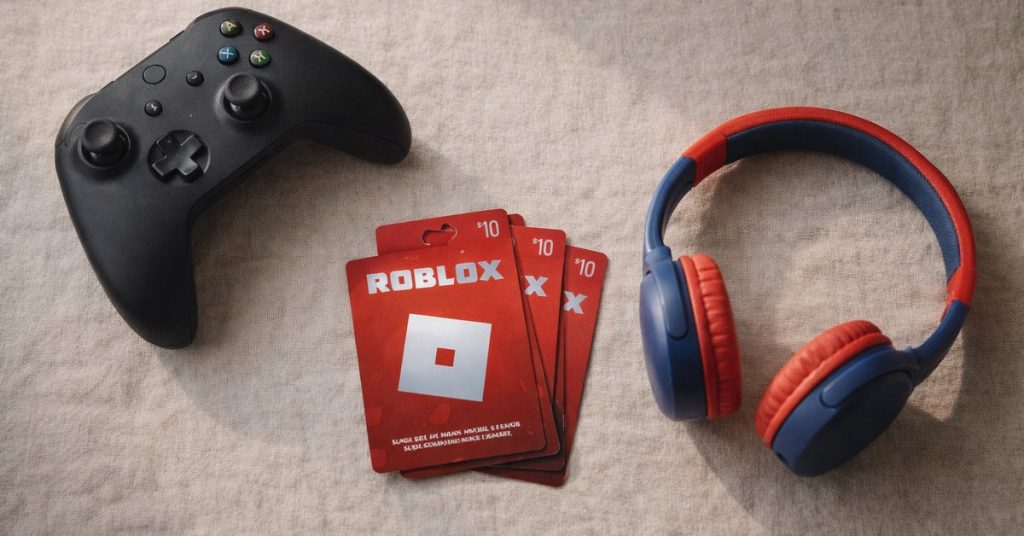
If your child is between 6 and 14, there’s a good chance they’re on Roblox, asking to get on Roblox, or talking about it constantly. It is one of the most popular platforms in the world for that age group — and one of the most misunderstood by parents. The name sounds like a toy, it looks like LEGO, and the whole thing can feel like it belongs in the “just let them play” category.
Except Roblox isn’t quite a toy. It’s a platform with hundreds of millions of users, live chat, real-money transactions, and user-generated content that ranges from genuinely brilliant to genuinely concerning.
This guide explains what Roblox actually is, what the real risks are (and aren’t), and how to set it up so your child can enjoy it safely. No tech skills required.
What Is Roblox? (And Why It’s Not What You Think)
This is the most important thing for parents to understand: Roblox is not a game. It’s a platform where users create and share games. Think of it like a cross between the App Store and YouTube — except everything on it is an interactive game built by other users, and your child is both a player and, potentially, a creator.
Launched in 2006, Roblox now has over 380 million registered accounts worldwide. The most popular age group is 9–12 year olds, but it’s used by children from age 6 right through to teenagers and adults. On any given day, tens of millions of people are playing it simultaneously.
The games on the platform cover an enormous range: simple obstacle courses (called “obbys”), complex roleplay worlds, horror experiences, fashion games, racing simulators, social hangout spaces, and everything in between. Some are built by small studios and are genuinely impressive. Most are made by individual players — including kids and teenagers — using Roblox’s free game-building tool, Roblox Studio.
The visual style is blocky and cartoon-like — often compared to LEGO — which gives the whole platform a younger, more innocent appearance than it sometimes warrants. That aesthetic mismatch is part of what catches parents off guard.
Roblox is available on PC, Mac, iOS, Android, Xbox, and some smart TVs. It’s free to download and play, but it has an in-game currency called Robux used to purchase cosmetic items, game passes, and some premium game access.
Who Makes the Games?
The vast majority of games on Roblox are made by other users — children, teenagers, hobbyists, and professional developers. Roblox Studio, the game-building tool, is free and genuinely well-made. For kids interested in how games work, it can be an excellent introduction to design and basic coding concepts.
The flip side is what user-generated content always means in practice: quality and appropriateness varies enormously. Because anyone can publish a game, the platform contains everything from thoughtful, creative experiences to low-effort clones, creepy horror games, and content clearly not designed for young children.
Roblox does have content moderation — games are reviewed, reported content is acted on, and accounts can be banned. But with millions of new items being added constantly, moderation is reactive rather than preventive. This is not a reason to keep kids off Roblox — it’s a reason to stay engaged with what they’re actually playing on it.
What Are the Real Risks?
Chat and contact with strangers
This is the most significant real-world risk on the platform. Roblox has in-game chat, and players can message each other during games. There have been documented cases of adults attempting to use Roblox to groom children — not as a theoretical risk, but as something that has actually happened. It is not unique to Roblox, and it’s not common, but it is real.
Default chat settings for accounts registered as under 13 are more restricted. Parents can tighten these settings significantly (see the setup section below). Most children who play Roblox will never encounter anything alarming in chat — but knowing it’s possible, and having a conversation about what to do if something feels wrong, matters.
Inappropriate game content
Some user-created games contain horror themes, suggestive roleplay (colloquially called “condo games”), graphic violence, or other content not appropriate for young children. Roblox bans these regularly — but they reappear under new names, often within days. The platform’s recommendation algorithm can also drift towards increasingly mature content the more an older player explores.
The practical response: know what your child is actually playing — don’t assume the cartoon aesthetic means it’s all fine.
Robux spending
Robux is Roblox’s virtual currency, bought with real money. Players use it to buy cosmetic items, game passes, and the “Roblox Premium” subscription. None of this affects core gameplay — it’s mostly social and cosmetic — but children often don’t make that distinction.
There are many stories of children spending significant sums on Robux without parents realising, usually because a credit card was saved to the account. This has a straightforward fix: don’t save a payment method to the account.
Social pressure and exclusion
Rare or premium items carry social status in Roblox. Kids with premium avatars can signal belonging; kids without Robux can feel visibly left out. This dynamic is real and worth acknowledging — particularly for children already sensitive to peer comparison.
Scams targeting children
Across YouTube, TikTok, Discord, and countless websites, there are constant offers of “free Robux” — in exchange for account credentials, personal information, or completing surveys. These are scams. All of them.
Free Robux does not exist. There is no generator, no hack, no special code, and no website that can add Robux to your child’s account for free. Any video, website, or person offering free Robux is a scam — the goal is almost always to steal account details or personal information. Teach your child this rule before they start playing, and repeat it regularly.
The same applies to anyone claiming to be a Roblox staff member asking for login details. Roblox staff will never ask for your password. Ever.
Parental Controls — Step by Step
Start with the right account setup
When an account is created for a child under 13, Roblox applies a restricted account type with filtered chat and limited contact options. But this only works if the correct birth year is entered at signup. Create the account yourself, with your child’s real birth year. If your child creates their own account and enters a false age, they get an unrestricted account.
Where to find the privacy settings
Log into your child’s Roblox account → click the gear icon in the top right corner → select Settings → go to the Privacy tab. This is where most of the important controls live.
Chat settings
Under Privacy, set who can chat with your child in-game and in direct messages. Options are No one, Friends, and Everyone. For children under 10, set both to No one. For older children wanting to chat with friends they know in real life, Friends is a reasonable middle ground. Avoid Everyone.
Account PIN
This is essential. An Account PIN prevents your child from changing their own privacy settings without your knowledge. To set it: Settings → Security → Account PIN. Choose a 4-digit PIN your child doesn’t know. Without this, any settings you configure can be quietly changed.
Contact and social settings
Also under the Privacy tab, control who can send your child friend requests, direct messages, and who can follow them into games. For younger children, set all of these to Friends or No one.
Spending controls
Remove any saved payment methods from the account — go to Billing in account settings and ensure no card is saved. If you want to enable purchases, use gift cards in fixed amounts (available at Woolworths, Big W, and JB Hi-Fi) rather than a saved card. You can also set a purchase verification requirement so every transaction needs PIN approval.
Parental Controls dashboard
Roblox has a dedicated parental controls page at roblox.com/parents. By linking your own email to your child’s account, you can receive notifications about account activity and manage key settings. It takes about five minutes to set up.
The Robux Conversation
- Set expectations upfront. Before your child starts playing, agree on whether they’ll have any Robux, how much, and how often. A defined budget is much easier to hold than an ongoing “maybe” conversation.
- Use gift cards. Roblox gift cards from Woolworths, Big W, or JB Hi-Fi let you give a fixed amount without exposing a credit card. When it’s gone, it’s gone.
- Never save a payment method to the account. If you do, set a purchase PIN so every transaction requires your approval.
- Have the “want vs need” conversation. Robux items are almost entirely cosmetic — they change how an avatar looks, not how the game plays. This distinction is a useful reference point when the requests come in.
Talking to Your Child About Roblox Safety
Settings help, but conversations matter more. Some starters worth using before and during their time on Roblox:
- “What games are you playing at the moment? Can you show me?”
- “Has anyone you don’t know in real life sent you a message or asked to be your friend?”
- “If something in a game or a message makes you uncomfortable, do you know what to do?”
And two rules worth making explicit:
- The “move the conversation” rule: If anyone on Roblox asks your child to continue talking on another platform — Discord, WhatsApp, Instagram, Snapchat — that is a red flag. Tell a parent immediately. This is one of the most common tactics used by adults with bad intentions online.
- The password rule: Roblox staff will never ask for your password. Anyone who does — in-game, in a message, or on a website — is trying to steal the account.
Quick Setup Checklist
- Create the account yourself, using your child’s correct birth year
- Set in-game and direct message chat to Friends only (or No one for children under 8)
- Set “who can join me in experiences” to Friends or No one
- Enable Account PIN (Settings → Security → Account PIN)
- Connect your parent email at roblox.com/parents
- Remove any saved payment methods from the account
- Buy a gift card if you want to give them some Robux — set a fixed amount and stick to it
- Have the free-Robux-scam conversation, the stranger conversation, and the “move to another app” red flag before they log in for the first time
The Bottom Line
Roblox is genuinely creative and fun. Many Australian kids play it safely for years, make games, make friends, and have a great time. The platform has real problems — chat risks, spending temptations, imperfect moderation — but none of them are insurmountable.
What makes the difference isn’t blocking Roblox. It’s the ten minutes you spend setting it up properly, the gift card instead of the saved credit card, and the regular “what are you playing lately?” Most of the risk on Roblox is manageable with the right settings and an ongoing conversation. And most kids, given clear expectations and a parent who’s paying attention, do just fine.
The goal isn’t fear. It’s informed enjoyment — and that’s completely achievable.